


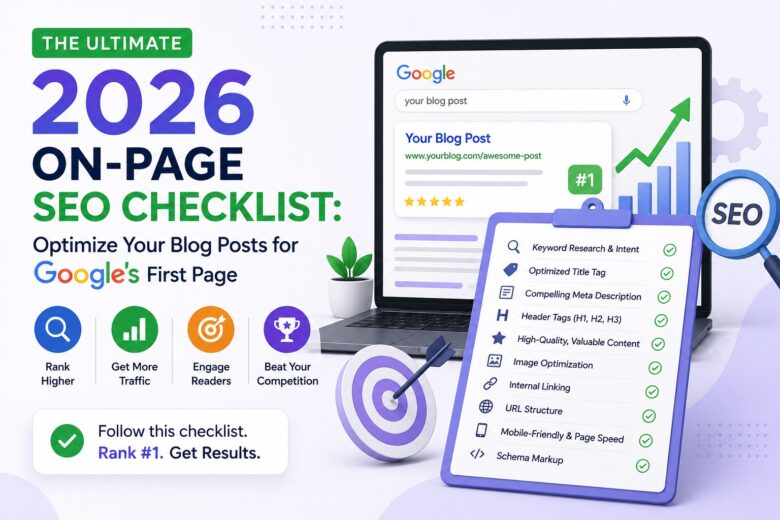
Getting your blog on Google’s first page is not just about writing great content. You also need to optimize every page properly. This is where on-page SEO becomes important.
In 2026, search engines will be smarter than ever. They focus on user experience, helpful content, and website quality. A well-optimized blog post has a better chance of ranking higher and attracting more visitors.
The good news is that on-page SEO is not difficult. You don’t need to be an SEO expert to get started. By following a simple checklist, you can improve your blog posts step by step.
In this guide, you’ll learn the most important on-page SEO practices that can help your content perform better in search results.This On-Page SEO Checklist 2026 will help you optimize your blog posts for Google’s first page.
Table of Contents
• What Is On-Page SEO?
• Why On-Page SEO Matters in 2026
• Complete 2026 On-Page SEO Checklist
• Conclusion
What Is On-Page SEO?
On-page SEO is the process of optimizing the content and elements on your website to help search engines understand your page.
It includes things like:
• Using the right keywords
• Writing helpful content
• Creating SEO-friendly headings
• Optimizing images
• Adding internal links
Improving page readability Unlike off-page SEO, which mainly focuses on backlinks, on-page SEO lets you optimize your own website, giving you full control over its performance in search engines.
•
Why On-Page SEO Matters in 2026
Google’s goal is simple: show users the most helpful and relevant content.
If your blog post is easy to read, answers the user’s question, and offers a great experience, it has a better chance of ranking well.
Good on-page SEO can help you:
• Improve your Google rankings
• Get more organic traffic
• Increase time spent on your website
• Reduce bounce rate
• Build trust with your readers
Now let’s go through the complete checklist.
Complete 2026 On-Page SEO Checklist
1.Start with Keyword Research
Every successful blog post begins with keyword research.
Choose one primary keyword that matches your topic. Then find a few related keywords that naturally support your content.
Avoid stuffing keywords everywhere. Instead, use them where they make sense.
2.Write an Attractive SEO Title
Your title is the first thing people see in search results.
A strong title should:
• Include your primary keyword
• Clearly explain the topic
• Make readers curious
• Stay under about 60 characters when possible
A clear title can improve both rankings and click-through rate.
3.Write a Helpful Meta Description
Your meta description doesn’t directly improve rankings, but it can increase clicks.
Write a short summary that explains what readers will learn.
Include your main keyword naturally and keep it clear and engaging.
4 .Use One H1 Heading
Every blog post should have only one H1 heading.
This is usually your article title.
Then organize the rest of the content using H2 and H3 headings. A clear structure makes your article easier to read for both users and search engines.
5. Create Helpful and Original Content
Google rewards content that provides real value to readers.Instead of writing only for search engines, focus on solving your audience’s problems.
Ask yourself these questions before publishing:
- Does this answer the reader’s question?
- Is the information accurate and useful?
- Does it offer original insights?
- Can beginners understand it easily?
If your answer is yes, your content is more likely to perform well in search results.
6. Keep Your Paragraphs Short
Large blocks of text are difficult to read.
Instead, keep your paragraphs short and easy to scan.
You can also use bullet points or numbered lists whenever needed.
As a result, visitors stay on your page longer and enjoy a better reading experience.
7. Optimize Your Images
Images make your blog post more engaging. In addition, they help readers understand your content more easily.
Before uploading an image:
• Compress the file to improve page speed.
• Use a descriptive file name.
• Add alt text that explains the image.
• Choose high-quality images that match your topic.
Optimized images can improve both user experience and SEO.
8. Add Internal Links
Internal links connect one page of your website to another.For example, you can link to a related article when it adds value for readers.
Internal links help:
• Search engines crawl your website.
• Readers discover more content.
• Increase the time visitors spend on your site.
Only add links that are useful for your readers.
9.Link to Trusted Sources
Sometimes you need to support your content with reliable information.
Linking to trusted websites can improve your content’s credibility.
Choose sources that are accurate, updated, and relevant to your topic.
Avoid linking to low-quality or unrelated websites.
10.Create an SEO-Friendly URL
A clean URL is easier for both users and search engines to understand.
For example:
Good:
yourwebsite.com/on-page-seo-checklist-2026
Avoid:
yourwebsite.com/post?id=4589
Keep your URL short and simple, and include your primary keyword.
11.Improve Page Speed
People don’t like slow websites.
If your page takes too long to load, visitors may leave before reading your content.
To improve speed:
• Compress images.
• Remove unnecessary plugins.
• Use a fast hosting service.
• Enable browser caching if possible.
A faster website provides a better user experience and supports SEO.
12.Update Your Content Regularly
SEO is not a one-time task.
Review your older blog posts every few months.
Update outdated information, improve your headings, add new examples, and fix broken links.
Fresh content is more valuable to both readers and search engines.
Common On-Page SEO Mistakes
Many beginners make simple SEO mistakes. Try to avoid these:
• Using too many keywords.
• Writing content without understanding search intent.
• Skipping meta descriptions.
• Forgetting image alt text.
• Using long, confusing URLs.
• Publishing thin or low-quality content.
• Ignoring internal links.
• Not updating old articles.
Avoiding these mistakes can improve your chances of ranking higher.
Conclusion
On-page SEO is one of the most effective ways to improve your blog’s visibility in Google Search.
You don’t need advanced technical skills to get started. Focus on creating helpful content, using keywords naturally, organizing your headings, optimizing images, and improving the overall reading experience.
Follow this checklist every time you publish a new blog post. Small improvements can make a big difference over time.
Remember, SEO is a long-term strategy. Stay consistent, keep learning, and always create content that helps your audience first.
Frequently Asked Questions (FAQs)
On-page SEO is the process of optimizing the content and elements on a webpage to help search engines understand it and rank it higher.
Use two primary keyword and a few related keywords naturally. Avoid keyword stuffing.
Yes. Optimized images improve page speed, accessibility, and user experience, which can support better SEO performance.
Review important articles every few months. Update outdated information, improve content quality, and fix broken links when needed.
On-page SEO is essential, but rankings also depend on content quality, competition, website authority, user experience, and other SEO factors. Combining strong on-page SEO with consistent, helpful content gives you the best chance of reaching Google’s first page.