


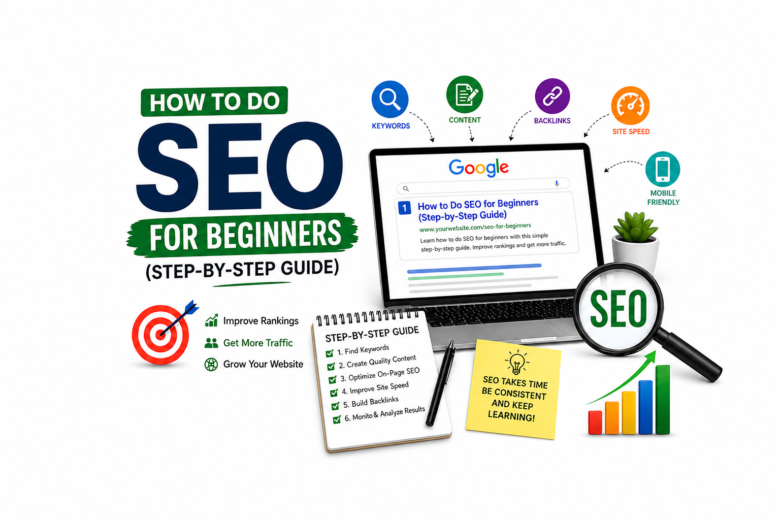
How to Do SEO for Beginners (Step-by-Step Guide) is a complete guide for anyone new to SEO. If you are a beginner, don’t worry—this guide will help you understand how SEO works and how it improves your website’s ranking on Google and brings free organic traffic.
Before diving in, let’s clarify what SEO really means.
SEO is the process of optimizing your website so search engines like Google can understand your content and show it to users searching for related topics.
Example:
If someone searches “best coffee shop in Dhaka”, a coffee shop website with good SEO can appear on the first page.
How to Do SEO Guide for Beginners:Step-by-Step Guide
1: Find the Right SEO Keywords for Beginners
Keywords are the words people type into Google.
Example Keywords:
• Best shoes for men
• SEO tips for beginners
• Cheap mobile phone in Bangladesh
How to Find Keywords:
Use free tools like:
• Google Search suggestions
• Google Keyword Planner
• Ubersuggest
Use free tools like:
• Google Search suggestions
• Google Keyword Planner
• Ubersuggest
Tip:
Choose keywords with:
• Good search volume
• Low competition
• Relevant to your website
Step 2: Create High-Quality Content
Content is one of the most important parts of SEO.
Write helpful articles that solve people’s problems.
Good Content Should Be:
• Easy to read
• Useful
• Original
• Well-structured
• Updated regularly
Example:
Instead of writing “SEO Tips”, write:
“10 Easy SEO Tips for Beginners in 2026”
Step 3: Optimize Your Title Tag
Your page title helps Google understand your page.
Example:
Bad Title: Home
Good Title: How to Do SEO for Beginners (Step-by-Step Guide)
Tip:
Put your main keyword in the title.
Step 4: Write a Meta Description
Meta description is the short text shown under the title in Google search results.
Example:
Learn how to do SEO for beginners with this simple step-by-step guide. Improve rankings and get more traffic.
Tip:
Keep it under 160 characters.
Step 5: Use Headings Properly
Use headings like:
• H1 = Main Title
• H2 = Main Sections
• H3 = Sub-sections
This makes content easy to read.
Step 6: Optimize Images
Before uploading images:
• Rename file names
Example: seo-guide.jpg
• Add ALT text
Example: Beginner SEO Guide Image
• Compress images for faster loading
Step 7: Improve Website Speed
However, Google prefers fast websites. Therefore, you should optimize speed.
How:
Use lightweight themes
• Compress images
• Use a caching plugin
• Good hosting
Step 8: Make Website Mobile Friendly
Most users search on mobile.
Your website should:
• Load fast on phone
• Look clean
• Easy to click buttons
Step 9: Add Internal Links
Link one page of your website to another page.
Example:
If writing about SEO, link to:
• Keyword Research Guide
• On Page SEO Tips
This helps users and Google.
Step 10: Build Backlinks
Backlinks = Other websites linking to your website.
Good backlinks help rankings.
How to Get Them:
• Guest posting
• Share useful content
• Business directories
• Social sharing
Step 11: Submit Website to Google
Use:
• Google Search Console
• Submit sitemap.xml
This helps Google index your website faster.
Step 12: Track Results
Use tools like:
• Google Analytics
• Google Search Console
Track:
• Visitors
• Keywords
• Clicks
• Rankings
Beginner SEO Mistakes to Avoid
❌ Keyword stuffing
❌ Copy content
❌ Slow website
❌ Buying fake backlinks
❌ Ignoring mobile users
SEO Takes Time
SEO is not instant. It can take weeks or months to see results.
Be consistent and keep improving your site.
Final SEO Checklist
✅ Find keywords
✅ Write quality content
✅ Optimize title & meta
✅ Improve speed
✅ Mobile friendly
✅ Add links
✅ Get backlinks
✅ Track progress
Conclusion
SEO for beginners is simple if you follow the right steps. First, start with keywords. Next, create content. Finally, stay consistent.
FAQs
1. What is SEO for beginners?
SEO for beginners means learning how to optimize a website to rank higher on Google and get free traffic.
2. How can I start SEO as a beginner?
Start with keyword research, create quality content, optimize titles, and improve website speed.
3. How long does SEO take to work?
SEO usually takes a few weeks to several months, depending on competition and website quality.
4. Is SEO free or paid?
SEO mainly focuses on free organic traffic, but tools or experts may cost money.
5. What is the best SEO tool for beginners?
Google Search Console and Google Analytics are great free tools for beginners.