


Introduction
Learning how to use Google Search Console for SEO is essential for improving website rankings. Increasing organic traffic, and helps you understand how your site performs in Google Search.
Google Search Console (GSC) is a free tool from Google that helps website owners maintain, and optimize their search presence.
Whether you run a blog, business website, or online store, GSC provides valuable insights into keyword performance, indexing status, backlinks, and technical SEO issues.
Because the data comes from Google, it is one of the most reliable tools for making informed SEO decisions.
What Is Google Search Console?
Step-by-Step Google Search Console SEO Tutorial for Beginners
Google Search Console is a free platform that helps website owners understand how Google views their websites.
It provides detailed information about search traffic, indexing, page experience, and technical issues that may affect rankings.
Key Benefits of Google Search Console
- Monitor search performance
- Discover keyword opportunities
- Identify indexing and crawl errors.
- Improve user experience
- Track backlinks and internal links
- Measure Core Web Vitals
- Support technical SEO improvements.
- Why You Should Leverage GSC Data for SEO Growth
For example, if a page receives many impressions but very few clicks, GSC can help identify whether the issue. meta description, or search intent.
How to Set Up Google Search Console
1. Add Your Website
Visit Google Search Console and sign in with your Google account. Click Add Property and enter your website URL.
You can choose between:
- Domain Property – Covers all versions of your website.
- URL Prefix Property – Tracks a specific URL version.
The Domain Property is usually recommended because it provides more comprehensive data.
2. Verify Ownership
Google requires verification before providing access to your website data.
Common verification methods include:
- DNS record verification
- HTML file upload
- Meta tag verification
- Google Analytics integration
- Google Tag Manager integration
DNS verification is often the most reliable option.
3. Submit Your Sitemap
After verification, submit your XML sitemap in the Sitemaps section.
Example:
https://yourwebsite.com/sitemap.xml
A sitemap helps Google discover and index your pages.
Important Google Search Console Features
Performance Report
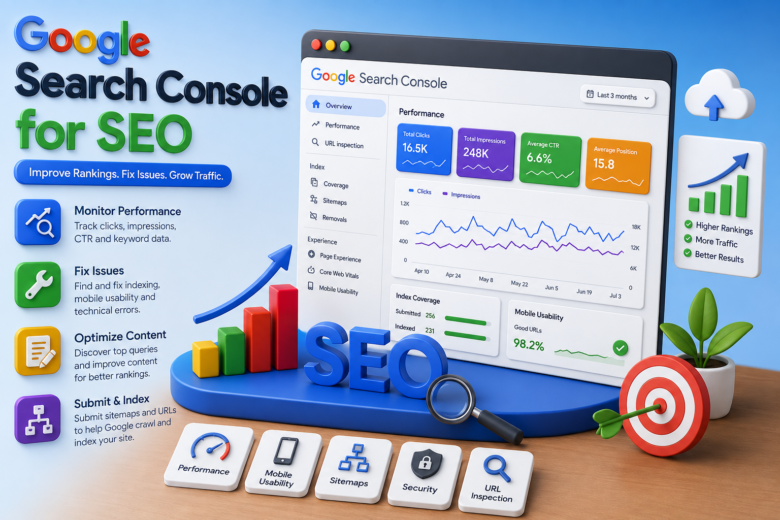
The Performance Report shows how your website performs in search results.
Key metrics include:
- Total Clicks
- Total Impressions
- Average CTR
- Average Position
If a page receives thousands of impressions but few clicks, improving the title and meta description may increase traffic.
URL Inspection Tool
This feature allows you to analyze individual pages and check:
- Indexing status
- Crawl information
- Technical issues
- Page availability
You can also request indexing for published content.
Indexing Reports
Indexing reports show which pages and which.
Common issues include:
- Crawl errors
- Duplicate content
- Redirect problems
- Noindex tags
- Server errors
Fixing these problems helps ensure important pages appear in search results.
Core Web Vitals
Core Web Vitals measure page experience and loading performance.
The main metrics are:
- Largest Contentful Paint (LCP)
- Interaction to Next Paint (INP)
- Cumulative Layout Shift (CLS)
Improving these metrics can enhance both user experience and search rankings.
Links Report
The Links Report provides information about:
- External backlinks
- Internal links
- Top-linked pages
- Referring domains
Strong backlinks often contribute to better search visibility and authority.
How to Optimize Your Website Using GSC for Higher Rankings
Find High-Impression Keywords
One of the most effective ways to improve SEO is by identifying keywords that receive many impressions but rank outside the top positions.
Open the Performance Report and look for keywords ranking between positions 5 and 20. Updating content and improving relevance can help push these keywords higher in search results.
Improve Click-Through Rate (CTR)
A low CTR means users see your page but choose another result.
To improve CTR:
- Rewrite title tags
- Improve meta descriptions
- Use compelling language
- Include numbers where appropriate.
- Match user intent
For example, “15 Proven SEO Tips for Higher Rankings” is more attractive than simply “SEO Tips.”
Fix Indexing Issues
Pages that are not indexed cannot generate organic traffic.
Regularly review indexing reports and fix:
- Soft 404 errors
- Blocked pages
- Duplicate URLs
- Redirect chains
Resolving these issues helps Google crawl and rank your content effectively.
Monitor Mobile Usability
Since Google uses mobile-first indexing, your mobile experience is extremely important.
Common issues include:
- Small text sizes
- Poor mobile layouts
- Elements placed too close together.
- Content wider than the screen
Addressing these problems improves usability and search performance.
Analyze Backlinks
Backlinks remain a major ranking factor.
Use the Links Report to identify:
- High-authority websites linking to you
- Popular content attracting links
- Internal linking opportunities
Updating pages that already attract backlinks can further increase rankings and traffic.
Common Mistakes to Avoid
Ignoring Indexing Errors
If important pages are not indexed, they cannot appear in search results. Check indexing reports regularly and resolve issues promptly.
Not Submitting a Sitemap
Without a sitemap, Google may take longer to discover new content. Always submit and maintain an updated sitemap.
Failing to Monitor Performance
SEO changes constantly due to algorithm updates and competitor activity. Reviewing GSC data weekly helps you identify opportunities and problems early.
Leveraging Google Search Console Insights for Long-Term SEO Success
Weekly Monitoring
Track the following metrics regularly:
- Organic clicks
- Impressions
- CTR
- Average position
- Keyword performance
Consistent monitoring helps you make data-driven decisions.
Optimize Existing Content
Use GSC keyword data to improve current pages by:
- Updating outdated information
- Expanding thin content
- Adding related keywords
- Improving search intent alignment
Updating existing content often delivers faster SEO gains than creating new content.
Focus on Technical SEO
For long-term SEO success:
- Fixing crawl errors
- Improving Core Web Vitals
- Maintaining accurate sitemaps
- Strengthening internal links
- Eliminating duplicate content
Combining technical SEO with quality content creates a strong foundation for sustainable growth.
Conclusion
Understanding how to use Google Search Console for SEO can improve your website’s search performance.
Google Search Console provides direct insights from Google, helping you identify keyword opportunities, fix technical issues, monitor indexing, and improve user experience.
By analyzing performance reports. resolving indexing problems. optimizing content. and monitoring backlinks. you can make informed decisions that lead to higher rankings. and increased organic traffic. Whether you are a beginner or an experienced SEO professional. Google Search Console remains one of the most valuable tools for long-term SEO success.
FAQs
Is Google Search Console free?
Yes, Google Search Console is completely free for website owners and marketers.
How often should I check Google Search Console?
At least once a week. Larger websites daily monitoring.
Can Google Search Console improve rankings?
Not, but it provides insights that help you optimize your website and improve rankings.
What is the difference between Google Analytics and Google Search Console?
Google Analytics tracks user behavior, while Google Search Console focuses on search visibility and performance.
How does data update?
Most reports update within 24–48 hours, although some data may take longer.