

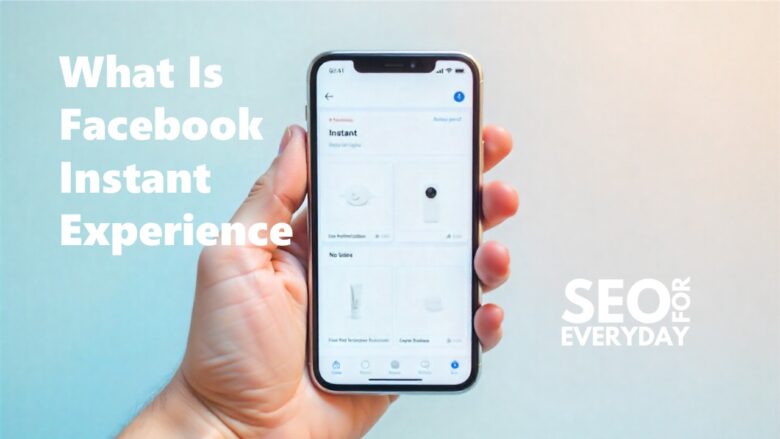
If you want fast, interactive Facebook ads, Instant Experience (formerly Canvas Ads) is perfect. It lets brands share their story visually and loads instantly on mobile devices—no delays or app switching.
Now that you know what Instant Experience is, let’s explore why it matters and how it can benefit your campaigns.
Why FB Instant Experience Matters
· Designed for Mobile-First Users
Nearly 90% of Facebook users access the platform on mobile devices, so Instant Experience is designed to provide a smooth, full-screen mobile experience.
· Faster Load Time Compared to Websites
Websites can be slow. Instant Experience loads 10x faster for quick, seamless access and fewer drop-offs.
· Helps Increase Engagement & Conversions
Its immersive, distraction-free design keeps users engaged longer, boosting conversions.
How FB Instant Experience Works
· Immersive Full-Screen Display
When someone taps your ad, Instant Experience opens as a full-screen mini-landing page.
· Opens Within the Facebook App
Everything opens directly inside Facebook or Instagram, with no delays or need for external browsers.
· No Need for External Web Pages
Create a high-converting landing page in your ad without needing a separate website.
Key Features of FB Instant Experience
· Instant Loading
Loads instantly, even with rich media.
· Video, Images, and Carousel Layouts
Combine videos, images, and product grids to create a compelling story.
· Lead Forms Integration
Attach lead forms to collect user info with auto-filled fields.
· Call-to-Action Buttons
Use buttons like “Shop Now” or “Learn More” for direct conversions.
Types of Instant Experience Templates
· Instant Storefront
Ideal for e-commerce: showcase categories and items that users can click.
· Instant Lookbook
Great for fashion and lifestyle brands to highlight visuals.
· Instant Customer Acquisition
Focuses on lead generation with simple layouts and clear CTAs.
· Instant Storytelling
Best for building brand awareness and sharing visual stories.
· Custom Templates
Build your layout from scratch for full flexibility.
Benefits of Using Instant Experience in Your Campaign
· Higher Conversion Rates
Faster loads mean more actions taken.
· Better User Experience
Smooth browsing with a mobile-focused design.
· Longer Engagement Time
Users explore your brand for longer.
· Lower Bounce Rate
Quick loading prevents user drop-off.
How to Create a Instant Experience
· Step-by-Step Setup
1. Go to Ads Manager
Start a campaign.
2. Choose Campaign Objective
Most common objectives:
- Traffic
- Leads
- Conversions
- Sales
3. Select FB Instant Experience Format
Turn on ‘Add an Instant Experience’ in ad format.
4. Add Content, CTA, and Creative
Add images, videos, headlines, text, buttons, and product grids.
5. Publish Your Ad
Once you’re satisfied, hit Publish and start engaging users immediately.
Pro Tips to Optimize Your Instant Experience
· Use Strong Visuals
Photos and videos power Instant Experience—use quality visuals.
· Keep It Simple and Fast
Keep content light and simple.
· Add Clear CTA Buttons
Guide users towards your goal—prompt them to take action now.
· Focus on Mobile Behavior
Test layout on different screen sizes.
Examples of Instant Experience Use Cases
· E-Commerce Brands
Highlight products, run sales, or show collections.
· Service-Based Businesses
Promote offers, provide free consultations, or share stories.
· Real Estate & Property Listings
Show 360° views, photos, or walkthrough videos.
· Education & Course Sales
Share course benefits, success stories, and sign-up forms.
Common Mistakes to Avoid
· Overloading with Too Much Content
Too many elements make loading slow and confuse users.
· Not Testing Different Templates
Each brand needs its own approach.
· Ignoring File Size
Large files can slow down loading.
· Poor Placement of CTA Buttons
Keep CTAs accessible and visible at all times.
Facebook Instant Experience is one of the most immersive advertising tools today. It loads quickly, tells your story beautifully, and keeps users engaged in the app. Whether selling, promoting, or building a brand, it can boost your conversions and engagement. Take action—implement Instant Experience in your next campaign and see results for yourself.
Yes, it’s free to create, but you need ads to reach your target audience.
Yes, Canvas was renamed Instant Experience.
Yes, it works on Instagram just like Facebook.
No, you can build a landing page inside your ad.
Yes! You can add instant forms for faster lead collection.